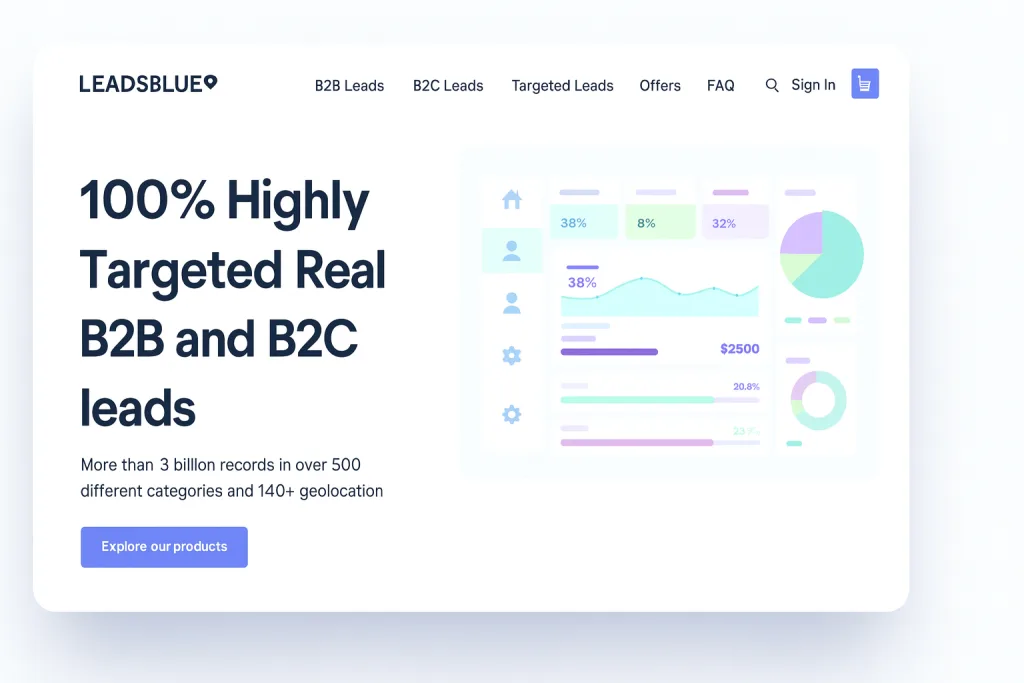
LeadsBlue is an email leads list provider promising “100% highly targeted” B2B and B2C contact lists. Its website boasts 3+ billion records, covering 500+ industries/categories across 140+ countries. In this review, we’ll break down what LeadsBlue offers – its features, pricing, pros/cons – and show how to use its lists effectively. You’ll learn whether LeadsBlue is worth it for your outreach and how to get the most from a purchased email list.
Why Use a Targeted Email List?
Buying a targeted email list can shortcut months of lead gen. High-quality lists let you instantly connect with prospects who match your ideal customer profile. For example, instead of scraping web data for weeks, you could launch a campaign tomorrow using LeadsBlue’s ready-made list of, say, “VPs of Marketing in SaaS companies, 50–200 employees”. Benefits of a targeted list include:
- Immediate Access to Leads: Skip the slow build-up of organic leads. A high-quality list (like LeadsBlue’s) delivers thousands of contacts at once.
- Faster Growth: Quickly fill your sales pipeline and test new markets. You can scale outreach on demand rather than waiting months to find prospects.
- Cost-Effective Leads: The price per lead is often lower than expensive PPC or lengthy inbound campaigns.
- Market Insights: Well-structured databases reveal industry trends, job titles, and other demographics of your audience.
The key is quality. Reputable list providers (like LeadsBlue) verify and update their data, so your emails land in real inboxes. A clean, targeted list can make email marketing the “undisputed champion of ROI” for many businesses.
What Is LeadsBlue?
LeadsBlue (est. 2018) is a Carroll, USA-based company specializing in curated email lists. It sells both B2B and B2C lists for industries like IT, healthcare, finance, retail and more. Key facts from their site and partners:

- Massive Databases: Over 3 billion total contacts in 500+ categories. This includes 500+ million B2B emails and billions of consumer addresses across the globe.
- Global Reach: Contacts span 140+ countries, from North America and Europe to Asia and beyond.
- Varied Niches: Search or purchase lists by niche, including executives (CEO, CFO, etc.), industry sectors (tech, manufacturing, etc.), or even specific roles like forex traders or medical professionals.
- Formats: Data is delivered in common formats (.CSV, .XLSX, .TXT) so you can filter and import easily.
- Delivery: Promises instant download after purchase (or within 24 hours).
- Payment Options: Accepts credit cards, PayPal, Bitcoin/Ethereum, etc., with encrypted checkout for security.
- Support & Updates: 24/7 live chat support is available, and the database is regularly updated with fresh records.
In short, LeadsBlue pitches itself as a one-stop shop for sales leads. Its platform lets you pick filters (industry, location, company size, job title, etc.) to build a customized list. For example, you might use LeadsBlue’s interface to find “all Chief Marketing Officers in mid-size healthcare companies in Europe” and instantly get those email contacts.
Key Features and Highlights
LeadsBlue’s main selling points include:
- Verified, Multi-Stage Data Quality: LeadsBlue uses AI-powered checks plus human verification to scrub out bad emails. Every list undergoes error-cleaning and real-time validation to minimize bounces. According to one review, their accuracy “consistently surpasses industry averages,” meaning your outreach has a better chance to actually reach inboxes.
- Extensive Filtering: You can filter contacts by virtually any parameter. Options include industry, company size, revenue range, location, job title, technology used, and more. This hyper-targeting lets you zero in on the exact decision-makers you need – from C-level execs to niche professionals.
- B2C Consumer Lists: Besides businesses, LeadsBlue offers consumer mailing lists. These include demographics, interests, and other behavioral data to target households or individual consumers.
- Startup Database: A unique offering is their startup contacts. If you want to reach founders or investors in new companies, LeadsBlue has a curated list just for that.
- GDPR & CAN-SPAM Compliance: All LeadsBlue lists are said to be compiled “in accordance with international data privacy regulations”. They claim to provide GDPR-compliant email lists, meaning the emails were collected ethically with permission to market to these contacts. (This compliance is crucial to avoid legal pitfalls.)
- High Scale & Flexibility: Whether you need 100 leads or 100,000, you can scale easily. Pricing is per list, so you pay for exactly what you need. For example, their online catalog shows individual country or role-based lists for sale (often on discount). A UK business email list might run a couple hundred dollars, while a regional or C-suite list varies from tens to hundreds.
- Sample Lists: LeadsBlue typically lets you get a sample before buying. This way you can inspect a portion of the data for quality and formatting. (In fact, a FAQ notes you can verify list quality with a test sample.)
- Payment & Security: The site highlights “100% encrypted payment protection”, so your purchase and data are secure.
LeadsBlue’s SoftwareSuggest profile summarizes it well: “LeadsBlue is a top-rated B2B email list provider … offering verified, hyper-targeted, GDPR-compliant contact data that fuels pipeline growth”. In other words, they position themselves as a growth partner for sales teams, not just a random data dump.
How to Use a LeadsBlue Email List
Buying a list is only the first step. Here’s a practical guide to turning LeadsBlue data into actual leads:
- Define Your Ideal Customer Profile (ICP). Before browsing lists, get crystal-clear on who you want to reach. Industry, company size, geography, job title, pain points, etc. As one guide puts it: “What industry are they in? What is their job title? What are their pain points?”. The better you define this, the more targeted (and effective) your list will be.
- Build Your Targeted List. Use LeadsBlue’s search and filters. For example, you could search for “VPs of Marketing in SaaS companies (50–200 employees) in North America”. Add layers – maybe filter by technology used or revenue too. The goal is to narrow down to your specific niche audience. Once set, LeadsBlue will compile the matching email list.
- Segment and Personalize. Don’t blast one generic email to everyone. Break your new list into smaller groups (segments) based on key factors: industry verticals, company size, role, etc.. This lets you tailor the message to each group. For instance, your message to a CFO list might emphasize ROI, while one to a marketing list highlights brand growth.
- Craft a Personalized Email Campaign. Leverage the data (like first name, company name, industry) in your outreach. Write a compelling subject line and opening line that mention something specific about the recipient (e.g. their company or role). A proven template is: “Hi [Name], I noticed [relevant fact about their company]… I think we can help with [pain point]…”. Always include a clear call-to-action (CTA). For example: “Would you be open to a 15-minute call on Tuesday or Thursday to discuss this further?”. Personalization is key – it’s what separates cold spam from relevant outreach.
- Warm Up Your Sending Domain. If you’ll be sending lots of emails from your domain, gradually ramp up volume. The tutorial cautions: “warm up your email domain… send emails gradually”. This helps avoid spam filters. (Use a warm-up tool or manual schedule: day 1 send 20 emails, day 2 send 40, etc.)
- Launch the Campaign and Measure. Send your emails and closely track results: opens, click-throughs, replies. LeadsBlue’s data quality should give you low bounce rates, meaning more emails actually land. With good deliverability, you might see open rates around 20–40% on a well-targeted campaign. Use these metrics to iterate: Which subject lines worked? Which segment responded best? Continue refining your messaging and targeting based on real feedback.
- Follow Up and Nurture. For those who don’t respond, plan a polite follow-up sequence. For responders, have a clear next step (demo, call, etc.). Keep in mind that a purchased list kickstarts contact – you still need to nurture leads into customers.
Pros & Cons of Buying Email Lists
Pros:
- Instant Access to Prospects: As noted, you can contact leads days or weeks earlier than organic methods.
- Highly Targeted: You can reach specific niches (by role, industry, geography) in one go.
- Verified Data (if using LeadsBlue): Multi-layer verification means fewer invalid addresses, reducing wasted effort.
- Scale on Demand: Need 100 leads or 100,000? Buying lets you scale instantly rather than slowly growing your own list.
- Cost-Effective: Many marketers find the cost per lead from list purchases is much lower than pay-per-click or trade shows.
Cons:
- Legal/Compliance Risks: Unsolicited emails can violate laws if misused. Always ensure lists are opt-in and compliant. By law, CAN-SPAM (in the US) and GDPR (in Europe) require consent and opt-outs. LeadsBlue claims its data is legally sourced and GDPR-compliant, but your use still must follow the rules (e.g. include unsubscribe links).
- Spam Traps & Blacklist Risk: Buying lists from sketchy vendors can yield stale or trap emails. LeadsBlue’s verification aims to avoid spam traps, but if you email too many cold leads too fast, your domain could get flagged. That’s why gradual warm-up and segmentation are important.
- Lower Engagement: Purchased leads typically know nothing about you. Open/click rates may be lower than for an opt-in list. Industry benchmarks suggest a well-targeted cold email campaign might see 20–40% opens, which is lower than newsletters to opted-in subscribers.
- Quality Can Vary: Not all list providers are equal. LeadBlue advertises high quality, but others might sell low-grade data. The risks of low-quality lists include bounces, spam complaints, and wasted cost. (For example, high bounce rates hurt your sender reputation.)
In short, buying email lists can be safe and effective if done correctly. Many experts say it’s legal to purchase email data as long as the provider follows laws. The Woodpecker blog explains: “Yes, it is legal to purchase email lists, provided the data has been collected and sold in compliance with relevant laws”. The key is choosing a reputable supplier and following best practices (segmenting, personalizing, respecting opt-outs).
Frequently Asked Questions
Is it legal to buy an email list?
Yes. In most countries (including the US under CAN-SPAM), buying an email list is legal if the list is opt-in and the seller complies with laws. That means recipients have consented to receive marketing emails. LeadsBlue’s FAQ notes that working with reputable providers (who ensure compliance) is essential.
Is buying email lists GDPR-compliant?
It can be – but only if the data was collected with consent. Under GDPR, every person on the list must have willingly given their email for marketing purposes. Verified providers like LeadsBlue claim their data is GDPR-ready. Always double-check that any purchased list explicitly meets GDPR rules.
How much does an email list cost?
It varies widely. According to industry sources, prices range from a few hundred to several thousand dollars, depending on list size, quality, and targeting. For example, small regional lists might be ~$50–$200, while broad national lists or executive-level lists can run into the low thousands. LeadsBlue often runs sales (as seen on its site, some lists are heavily discounted), so compare pricing and ROI before buying.
How accurate are LeadsBlue’s leads?
LeadsBlue touts a multi-step validation process (AI checks + human review) to ensure accuracy. In practice, this should mean a very low bounce rate. One review claimed their accuracy “surpasses industry averages”. Of course, no list is 100% perfect, but LeadsBlue’s emphasis on verification suggests you’ll get cleaner data than average.
What open rates can I expect?
Open rates depend on your campaign quality, but LeadsBlue’s FAQ indicates that well-targeted, verified lists can yield strong engagement. They mention seeing opens in the 20–40% range for a well-crafted campaign. This is largely because reduced bounces and higher deliverability set a good foundation. Your actual results will vary by industry and how personalized your emails are.
Can I get a sample list before buying?
Yes. LeadsBlue typically offers sample downloads of the targeted data. This lets you inspect a slice of the list (format, fields, email quality) before purchasing the full set. It’s a good practice to request samples from any provider to ensure the data matches your needs.
Conclusion
LeadsBlue offers a robust solution for businesses that need fast access to targeted email leads. With billions of contacts, advanced filters, and a focus on data quality/compliance, it ticks many boxes of a good email list provider. In practice, LeadsBlue can jumpstart your outreach: you define your ideal customers, grab a segmented list, and launch an email campaign within days.
However, remember that success still depends on how you use the list. Always personalize your messages, warm up your sending domain, and respect spam laws. If you buy a LeadsBlue list, treat it as a head start – follow best practices and continuously refine your approach.
Actionable Tip: Try LeadsBlue’s sample list for your niche (for example, marketing directors or CFOs) and run a small pilot campaign. Measure open and response rates. Compare this to a more generic list or your own contacts. This experiment will show you the real value of a highly targeted, verified list.
In the end, if you need to scale your lead generation quickly, LeadsBlue is worth considering. Its combination of size, targeting, and compliance makes it a strong contender among email list providers. As one final word: always verify that purchased lists are used responsibly – when done right, they can truly fuel growth and accelerate your sales pipeline.


Snehil Prakash is a serial entrepreneur, IT and SaaS marketing leader, AI Reader and innovator, Author and blogger. He loves talking about Software's, AI driven business and consulting Software business owner for their 0 to 1 strategic growth plans.