
SeraScript 365

SeraScript 365 Review: What is SeraScript 365?
SeraScript 365 Review: SeraScript 365 is a digital document management system (DDMS) built on Microsoft Office 365. It is designed to help businesses automate their document workflows, including filing, digitizing, storage, organization, approval, and access.
SeraScript 365 is a powerful and versatile digital document management system that can help businesses of all sizes automate their document workflows, improve security and compliance, reduce costs, and improve customer service.
SeraScript 365 Review: What features does SeraScript 365 provide me?
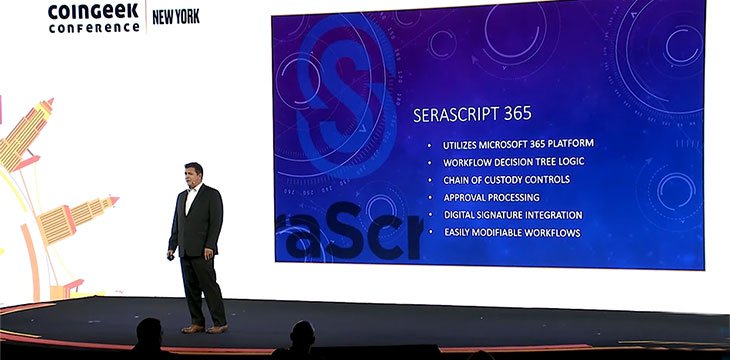
SeraScript 365 brings you numerous features to use. Some of the top features that you get with this tool are mentioned below in this SeraScript 365 Review.
- Document capture and digitization
SeraScript 365 can capture and digitize documents from a variety of sources, including scanners, email, and file shares. It also supports OCR to extract text from scanned documents.
- Document storage and organization
SeraScript 365 provides you a secure and reliable place to store documents of all types, including PDF, Word, Excel, PowerPoint, and other common file formats. It also offers you a variety of features for organizing documents, such as tagging, metadata, and full-text search.
- Document workflow automation
SeraScript 365 can automate a variety of document-related workflows, such as approval workflows, routing workflows, and retention workflows. This can help businesses save time and improve efficiency. For example, you can use SeraScript 365 to create a workflow for approving new contracts. The workflow can be configured to automatically route the contract to the appropriate people for approval, and to send notifications to the relevant parties when the contract is approved or rejected.
- Document security and compliance
SeraScript 365 offers you a variety of security and compliance features to protect documents from unauthorized access and modification. For example, SeraScript 365 supports role-based access control, so that you can control who has access to which documents. SeraScript 365 is also GDPR compliant, so you can be confident that your data is protected.
- Mobile access
You can access SeraScript 365 from any device with an internet connection, making it easy to work with documents on the go. This is especially useful for businesses with remote employees.
- Electronic signatures
SeraScript 365 supports electronic signatures, so you can sign documents digitally without having to print, sign, and scan them. This can save time and paper, and it can also make it easier to collaborate with others on documents.
- Version control
SeraScript 365 keeps track of all changes made to documents, so you can easily revert to a previous version if necessary. This is useful for businesses that need to ensure that documents are not accidentally or maliciously altered.
- Integration with other systems
SeraScript 365 integrates with a variety of other systems, such as Microsoft Office 365, Salesforce, and Google Docs. This makes it easy to streamline your document workflows and to access documents from other systems.
SeraScript 365 Review: What is the pricing of SeraScript 365?
The pricing of SeraScript 365 varies depending on the number of users and the features you need. However, it is generally considered to be a relatively affordable digital document management system. SeraScript 365 offers you a free trial, so you can try it out before you commit to a paid plan. After the free trial ends, you can choose from a variety of paid plans, starting at $5 per user per month.
- Free Trial: 1 user, all core features, free for 14 days.
- Starter: 1-10 users, all core features, 5 US Dollars per user per month.
- Professional: 11-25 users, all core features + electronic signatures and version control, 10 US Dollars per user per month.
- Enterprise: 26+ users, all core features + electronic signatures, version control, and advanced features, contact SeraScript for pricing.
Specification: SeraScript 365
|
Photos: SeraScript 365

User Reviews
Only logged in customers who have purchased this product may leave a review.




There are no reviews yet.