

 Arkraj Kundu
ChatGOT is an all-in-one AI assistant that combines AI chat, writing, coding, web-assisted research, PDF analysis, image generation, presentations, translation and customizable AI bots within one platform.
The first thing to understand is that ChatGOT and ChatGPT are different products. ChatGPT is OpenAI’s AI product. ChatGOT is a separate platform that provides its own interface and gives users access to multiple AI models and AI-powered tools.
That distinction is particularly important because the names look similar.
ChatGOT originally focused heavily on letting users interact with multiple AI assistants from one place. The product has since expanded into a wider AI workspace. Its current platform includes regular AI chat, document analysis, image generation, web access, AI Slides, custom Bots, translation and Artifacts for creating things such as code, webpages and SVG graphics.
Updated and fact-checked: September 2026
We reviewed ChatGOT’s current product information, pricing, documentation, Terms of Service and Privacy Policy using information published by ChatGOT. Features, available models and usage allowances can change, so users with a specific model requirement should confirm its current availability before subscribing.

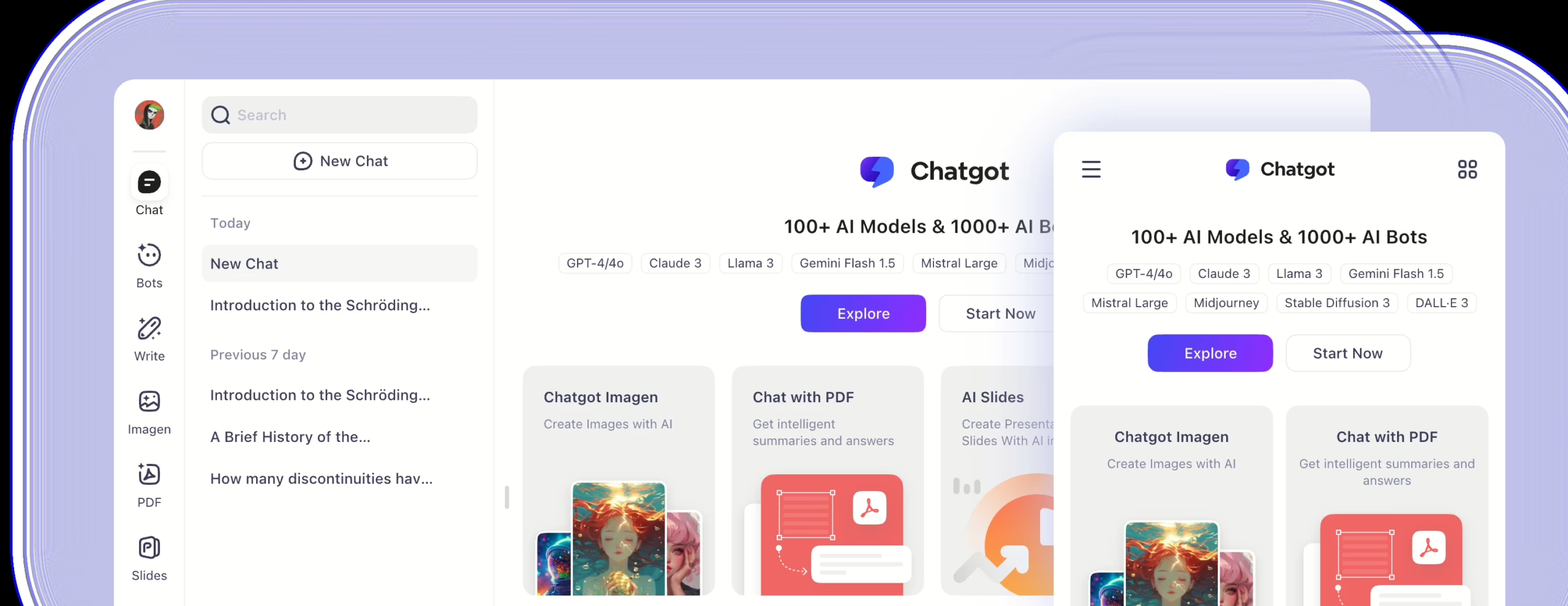
ChatGOT AI assistant interface reviewed by HowToBuySaaS in September 2026.
What Is ChatGOT?
ChatGOT is best understood as an AI workspace rather than only a chatbot.
The platform is designed to let users perform several AI tasks without moving between a large number of separate tools. Depending on the feature and subscription level, ChatGOT can be used to chat with AI models, search the web, analyze PDFs and images, generate images, build presentations, translate content, create personalized AI bots and generate interactive Artifacts.
ChatGOT also provides a browser extension, while its official website describes access across web, Chrome, Edge, mobile and desktop environments.
Our Take on ChatGOT
What interests us most about ChatGOT is not simply that it provides another box where you can type an AI prompt.
There are already many products that can do that.
The stronger argument for ChatGOT is convenience. A user working on a research or content task might need to search the web, summarize a document, ask follow-up questions, create an image and turn the material into a presentation. ChatGOT is trying to bring several of those steps into one environment.
We think that proposition is most useful for users who frequently move between different types of AI work.
However, using an AI aggregator is different from subscribing directly to the company that develops an underlying AI model. Model availability, query allowances and performance can depend on ChatGOT’s integrations and subscription rules. ChatGOT’s own Terms state that the service relies on third-party APIs and that those services can occasionally experience instability or downtime.
That trade-off is important. ChatGOT offers breadth and convenience, while users who depend heavily on one particular AI ecosystem may still prefer that model provider’s native product.
What Can You Do With ChatGOT?
1. Chat With Different AI Models
ChatGOT supports conversations using multiple AI models. Its current pricing page specifically references models including GPT-4o mini and Claude 3 Haiku for free usage, while ChatGOT’s broader documentation describes support for model families from multiple AI providers.
Available models can change over time, so we would avoid choosing ChatGOT solely because one particular model happens to be listed today.
The useful part is the workflow. Instead of treating every model as a separate application, ChatGOT lets users choose between AI options inside its environment.
Our View
We see model choice as useful when you do different types of work and want flexibility.
We would not assume that access through ChatGOT is identical to using every model through its developer’s own application. Features, limits, context and integrations may differ.
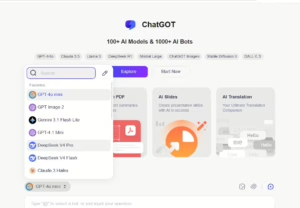
AI model options available inside ChatGOT during our September 2026 review.
2. Real-Time Web Access
ChatGOT includes a Web Access option that allows subsequent responses to use information from search engines.
This is useful when a question depends on current information rather than only the AI model’s existing knowledge. ChatGOT’s paid plans also list AI Pro Search among their advanced capabilities.
Practical Outcome
A researcher or marketer could use this workflow to:
Search for current information → ask ChatGOT to summarize the findings → refine the question → turn the findings into structured content.
Our recommendation is still to verify important source material yourself. An AI-generated answer should not be treated as a replacement for checking the original source, particularly for financial, legal, medical or other high-impact information.
3. Chat With PDFs
ChatGOT includes a dedicated ChatPDF workflow.
According to its current documentation, users can upload PDF files of up to 50 MB. ChatGOT can summarize the document, answer questions based on its contents, retrieve information and translate PDF content.
How the PDF Workflow Works
Upload the PDF → let ChatGOT analyze it → review the generated summary → ask specific questions → translate or extract relevant information.
What This Is Useful For
This can be useful for:
- Research papers
- Reports
- Manuals
- Business documents
- Study material
- Long PDFs that need initial summarization
Our Take
The main value is time saved during the first pass through a document.
We would still verify important quotations, numbers and conclusions against the source PDF before using them in published or professional work.

ChatGOT ChatPDF analyzing an uploaded document.
4. Create AI Images
ChatGOT includes AI image generation inside its wider AI workspace.
Users can describe the image they want conversationally, while ChatGOT also offers dedicated image-generation controls. The current paid plans include separate allowances for standard and advanced image generation.
Practical Outcome
A content creator could move from:
Idea → written concept → image prompt → generated visual
without leaving the same platform.
We see this as more convenient for general-purpose content workflows than for someone buying software exclusively for professional image production. A dedicated image platform may offer deeper controls, but ChatGOT’s advantage is having image generation beside its other AI tools.
5. Create Presentations With AI Slides
ChatGOT also provides an AI Slides feature.
Its current Help Center says Slides can generate a presentation outline, convert documents into presentations, use presentation templates and support PowerPoint and Google Slides generation.
Practical Workflow
Enter a topic or provide source material → generate an outline → turn the outline into slides → choose a template → review and edit the presentation → export or continue working with it.
Our Take
This is one of the more interesting additions to ChatGOT because it moves the product beyond simple question-and-answer chat.
For someone regularly creating internal presentations, educational decks or first drafts of client presentations, having Slides beside research and writing tools can reduce workflow switching.
We would still expect to edit an AI-generated presentation before using it professionally. AI can create the structure quickly, but factual verification, visual consistency and presentation judgment still need human review.

AI Slides generated inside ChatGOT.
6. Build Custom AI Bots
ChatGOT lets users create personalized AI Bots.
The current creation workflow allows users to name a bot, select an AI model, define its prompt, specify skills, create it, test the output and later refine or edit the configuration. ChatGOT also maintains a collection of preset bots for different tasks.
What This Means in Practice
Instead of repeatedly entering instructions such as:
“Act as my marketing editor and always follow these writing rules”
you could create a reusable bot whose prompt and skills are already configured around that task.
Possible examples include:
- Writing assistant
- Translation assistant
- Study tutor
- Marketing assistant
- Travel planner
- Research helper
Our Take
Custom bots become useful when you repeatedly perform the same task.
For an occasional AI user, configuring a bot may be unnecessary. For someone repeatedly using the same role, tone or workflow, reusable instructions can save time and produce more consistent outputs.
7. Create Artifacts
ChatGOT’s Artifacts feature can generate and display outputs such as code snippets, single-page websites and SVG graphics in a separate preview area.
Users can continue modifying the Artifact with natural-language instructions and preview the changes. ChatGOT also provides publishing functionality for Artifacts. Its documentation warns that published Artifact content and associated code become publicly viewable.
Our Take
Artifacts makes ChatGOT more useful for people who want to create something from an AI conversation, rather than receiving only text in a chat window.
The public-publishing warning is worth paying attention to. Do not publish an Artifact containing information or code you do not want publicly accessible.
8. Translation
ChatGOT includes a dedicated translation workflow.
Its documentation says the translator can automatically detect source language, accept typed or pasted text and voice-recorded text, and translate into up to three target languages simultaneously. Users can also choose between available AI models for translation.
This may be useful for multilingual content workflows, although important professional or legal translations should still receive human review.
ChatGOT Pricing in 2026
ChatGOT currently offers three plans: Free, Pro and Max.
| Plan | Current Price | Main Usage Allowances |
|---|---|---|
| Free | $0/month | 10 standard queries per day |
| Pro | $9.90/month | 6,000 standard queries, 400 advanced queries, 300 standard images, 50 AI Slides credits and 50 advanced images |
| Max | $15.90/month | 8,000 standard queries, 500 advanced queries, 500 standard images, 100 AI Slides credits and 100 advanced images |
ChatGOT’s current pricing page also lists advanced capabilities for the paid plans such as ChatPDF, real-time web access, custom AI Bots, AI Pro Search and chat with images. The company states that paid plans provide faster responses and remove daily usage limits, although monthly allowances still apply to specific resource categories.
Pricing checked: September 2026. Prices and allowances can change, so confirm the latest information on ChatGOT before purchasing.

ChatGOT Free, Pro and Max pricing checked in September 2026.
Our View on ChatGOT Pricing
At the current listed prices, ChatGOT is inexpensive relative to the number of different AI workflows it is trying to bundle into one subscription.
But the right way to evaluate the price is not simply by counting features.
If you mainly want one AI chatbot and already prefer a particular native AI product, an aggregator may add little value.
If you regularly use AI for several tasks, such as chatting, PDF analysis, web research, images, presentations and custom assistants, the combined workflow is easier to justify.
We would start with the Free plan first and determine which features you actually use before upgrading.
ChatGOT Free vs Pro vs Max: Who Needs What?
Choose Free If:
You are testing ChatGOT, only need occasional AI conversations, or want to understand the interface before paying.
The biggest limitation is the current allowance of 10 standard queries per day.
Choose Pro If:
You use AI regularly and want much higher chat limits plus access to advanced workflows such as PDF analysis, web access, image generation, AI Slides and custom bots.
For most individual users who decide to pay for ChatGOT, we think Pro is the logical plan to evaluate first.
Choose Max If:
You already know that you regularly hit Pro’s monthly limits, particularly for advanced queries, images or AI Slides.
We would not start with Max simply because it is the highest tier. Upgrade when your actual usage justifies the additional allowance.
ChatGOT vs ChatGPT: They Are Not the Same Product
This deserves its own section because the product names can easily be confused.
ChatGPT is OpenAI’s product. ChatGOT is a separate AI platform.
ChatGOT provides its own interface and combines access to multiple AI models with additional tools such as PDF analysis, image generation, AI Slides, Bots and Artifacts.
Someone specifically searching for the official OpenAI ChatGPT product should use ChatGPT itself.
Someone evaluating ChatGOT should judge it as a separate all-in-one AI platform whose main appeal is bringing multiple AI workflows into one place.
We would not choose between the two based on the similarity of their names.
Privacy: What Users Should Know Before Uploading Files
ChatGOT’s current Privacy Policy states that user conversation content is encrypted and stored on ChatGOT’s servers. The policy says conversation content is not shared with third parties and that access controls are used to restrict access to user data.
The same Privacy Policy also states that ChatGOT uses third-party analytics services including Google Analytics and Microsoft Clarity. Microsoft Clarity and Microsoft Advertising may collect interaction information through behavioral metrics, heatmaps and session replay for product improvement and marketing.
Our Take on Privacy
We think users should understand the difference between a service being secure and data remaining only on their own device.
ChatGOT’s Privacy Policy says conversations are stored on its servers. Therefore, if you are working with confidential company documents, client data, regulated records or highly sensitive personal information, read the current Privacy Policy and your organization’s data-handling requirements before uploading that content.
This is especially relevant because ChatGOT supports PDF and image uploads.
One Limitation That Is Easy to Miss
ChatGOT depends partly on external AI services.
Its Terms of Service explicitly state that it relies on third-party APIs and that those APIs can experience occasional instability or downtime. The Terms also explain that query allocations for individual models can change depending on operational requirements and user demand.
That means the experience with a particular model or feature may not remain identical forever.
We consider this an important trade-off of using a multi-model aggregator.
Refund Policy: Check Before Paying
ChatGOT’s current Terms state that once the service has been used, refunds are generally unavailable.
For eligible unused subscriptions outside the EU and Turkey, the published policy currently allows monthly refund requests within 24 hours of the initial purchase and annual refund requests within 72 hours. EU and Turkey customers have separate cancellation provisions described in the Terms.
Because the refund window can be restrictive, we recommend trying the Free plan before purchasing.
Who Is ChatGOT Best For?
We think ChatGOT makes the most sense for:
- Students who use AI for questions, PDFs, translation and presentations
- Content creators combining writing, research and images
- Marketers moving between research, writing and creative work
- Users who like experimenting with multiple AI models
- People who want reusable custom AI assistants
- Users who prefer several AI utilities inside one interface rather than separate apps
Who Should Probably Skip ChatGOT?
We would look elsewhere if you primarily want the deepest possible experience with one specific AI model or ecosystem.
If your entire workflow already happens inside the native product from one AI provider, ChatGOT’s multi-tool convenience may not add enough value.
We would also be cautious about uploading sensitive organizational data without first checking whether ChatGOT’s data-storage approach satisfies your company’s policies.
Finally, if you only need a few basic AI conversations each day, the Free tier may be sufficient and a paid subscription may be unnecessary.
ChatGOT Pros and Cons
Pros
- Multiple AI workflows available in one platform
- Free plan available
- Pro currently starts at $9.90 per month
- PDF summarization and document Q&A
- Real-time web access
- AI image generation
- AI Slides
- Custom AI Bots
- Artifacts for webpages, SVGs and code
- Translation tools
- Browser-based and extension access
Cons
- ChatGOT is a separate third-party platform, not the native interface of the underlying AI model providers
- Model availability and query allowances can change
- Third-party API dependency can affect availability
- Conversations are stored on ChatGOT servers according to its Privacy Policy
- Free usage is currently limited to 10 standard queries per day
- Users focused on only one AI model may prefer that provider’s native product
Final Verdict: Is ChatGOT Worth Using?
ChatGOT has changed considerably from the simple multi-AI chatbot described in older reviews.
In 2026, it is better described as an all-in-one AI productivity workspace.
Its strongest advantage is convenience. Chat, PDF analysis, web-assisted research, image generation, presentation creation, translation, custom Bots and Artifacts can all sit inside the same broader product.
We would not choose ChatGOT because its name resembles ChatGPT, and we would not assume that access to an underlying model through ChatGOT is identical to using that model’s native product.
Instead, the buying decision comes down to workflow.
If you regularly move between several AI tasks and prefer having them under one subscription, ChatGOT is worth testing. At $9.90 per month for the current Pro plan, the entry price is relatively accessible for someone who will actually use several of the included capabilities.
If your needs are limited to occasional AI chat, start with Free.
If you rely heavily on one specific AI ecosystem, compare ChatGOT against the native product before paying.
Our view: ChatGOT’s real value is not being “another ChatGPT.” Its value is acting as a single workspace for multiple AI tasks and model options. That is where the product makes the most sense.
Frequently Asked Questions About ChatGOT
Is ChatGOT the same as ChatGPT?
No. ChatGOT and ChatGPT are different products. ChatGOT is a separate AI platform that combines multiple AI tools and model options inside its own interface.
Is ChatGOT free?
Yes. ChatGOT currently offers a Free plan at $0 with 10 standard queries per day. Paid Pro and Max plans provide substantially higher usage allowances and additional capabilities.
How much does ChatGOT Pro cost?
The current Pro plan is listed at $9.90 per month. The Max plan is listed at $15.90 per month. Pricing was checked in September 2026.
Can ChatGOT analyze PDFs?
Yes. ChatGOT’s ChatPDF feature accepts PDF uploads of up to 50 MB and supports summarization, information retrieval, translation and document-based questions.
Can ChatGOT create presentations?
Yes. ChatGOT’s AI Slides feature can generate presentation outlines, convert documents into presentations and support PowerPoint and Google Slides creation according to its current Help Center.
Can I create my own AI bot in ChatGOT?
Yes. Users can configure custom Bots by selecting an AI model, defining a prompt and skills, and then testing and refining the bot.
Does ChatGOT store conversations?
Its current Privacy Policy says conversation content is encrypted and stored on ChatGOT’s servers. Users handling sensitive information should review the latest policy before uploading confidential content.
Can ChatGOT access current information from the web?
Yes. ChatGOT provides a Web Access mode designed to incorporate information from search engines into subsequent AI responses.
Photos: ChatGOT


User Reviews
Only logged in customers who have purchased this product may leave a review.



There are no reviews yet.