

Basecamp
 Richa Gupta
Basecamp is a project management and team collaboration platform built around a simple idea: project communication, tasks, schedules, files, decisions, and client conversations should remain in one organized workspace.
Instead of giving users dozens of customizable views, complex workflow builders, and detailed resource-planning systems, Basecamp focuses on a relatively structured set of tools. These include to-do lists, message boards, group chat, direct messages, schedules, files, recurring questions, Kanban-style boards, reports, and project-level communication.
This simplicity is Basecamp’s biggest strength and its most important limitation.
Teams that are overwhelmed by email chains, scattered documents, chat messages, and disconnected task lists may find Basecamp refreshingly organized. However, organizations requiring advanced dependencies, detailed workload planning, complex automations, customizable dashboards, granular time estimates, or portfolio analytics may find it less capable than products such as Asana, ClickUp, or Teamwork.
HowToBuySaaS Editorial Score
| Review area | Rating |
|---|---|
| Ease of use | 4.5/5 |
| Team communication | 4.7/5 |
| Task management | 4.1/5 |
| Client collaboration | 4.5/5 |
| Project planning | 3.8/5 |
| Reporting and analytics | 3.7/5 |
| Customization and automation | 3.4/5 |
| Integrations and developer access | 4.1/5 |
| Pricing and overall value | 4.2/5 |
| Overall editorial rating | 4.2/5 |
Our recommendation: Basecamp is a strong choice for small and midsized teams, agencies, consultancies, remote businesses, and client-service companies that prioritize clarity and communication. It is less suitable for teams needing advanced project portfolio management, detailed capacity planning, or highly customized workflows.
Review transparency: This review is based on current Basecamp documentation, public product demonstrations, official screenshots, pricing information, product update notes, and user feedback published on G2, Capterra, and TrustRadius. The HowToBuySaaS team has not used Basecamp as its primary project management system for a prolonged production deployment. Our score is an independent editorial assessment, not a long-term laboratory or implementation score.
What Is Basecamp?
Basecamp is a cloud-based project management and team communication application developed by 37signals.
The software gives every project its own dedicated workspace. Within that workspace, users can create to-do lists, post announcements, discuss decisions, upload documents, schedule milestones, hold group conversations, organize workflows, invite clients, and monitor project activity.
Basecamp differs from many modern work-management platforms because it does not attempt to turn every business process into a heavily configurable database. It provides a fixed collection of tools designed to address the everyday coordination problems experienced by teams.
The main tools included in Basecamp are:
- To-do lists
- Message Boards
- Card Tables
- Campfire group chat
- Private Pings
- Project schedules and calendars
- Docs and Files
- Automatic Check-ins
- Reports and activity views
- Hill Charts
- Client access
- Project notifications
- Mobile and desktop applications
Each project can be configured to show only the tools that the team needs. Basecamp can therefore be used for client projects, marketing campaigns, product launches, content production, internal operations, recruitment, onboarding, event planning, and general team coordination.
What Is New in Basecamp 5?
Basecamp introduced a major product refresh called Basecamp 5 in 2026.
According to the company, the release includes more than 100 significant improvements across navigation, project organization, notifications, search, calendars, to-dos, activity reporting, developer tools, and overall interface consistency.
Important Basecamp 5 improvements include:
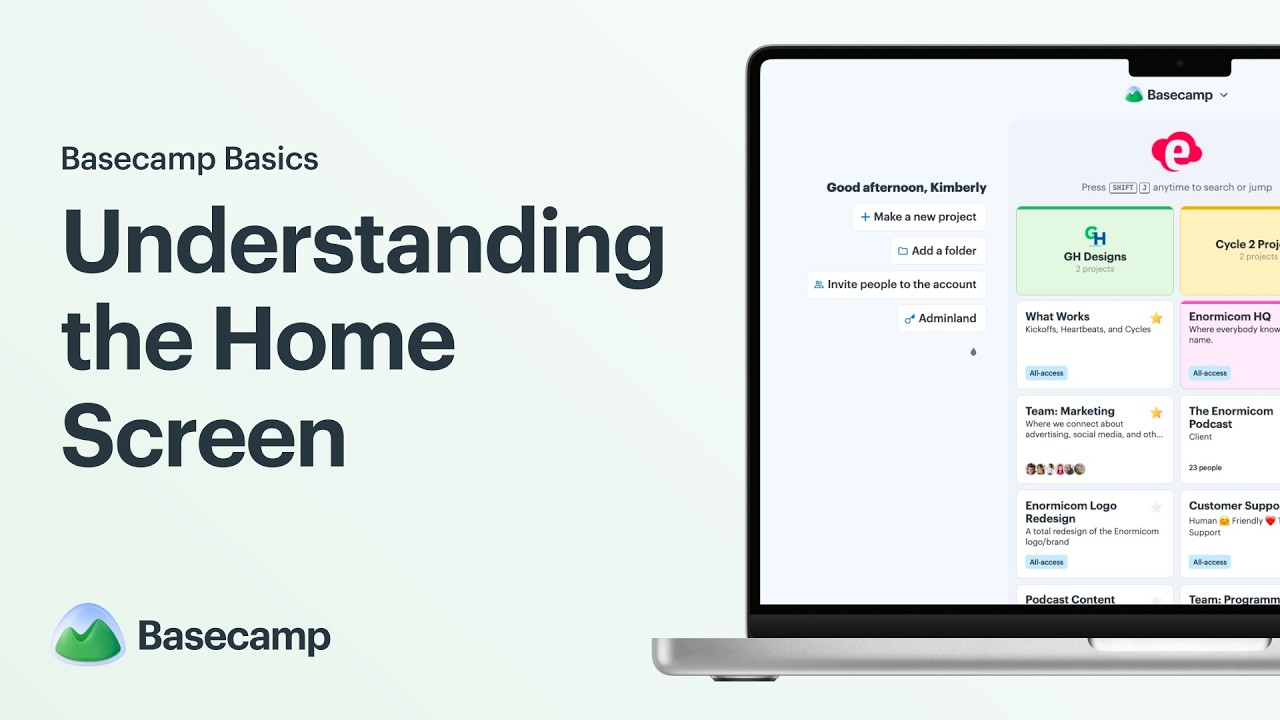
New Home Screen
The redesigned home screen is more action-oriented. It brings active projects, upcoming work, assignments, bookmarks, and recent activity together in a more useful starting view.
This reduces the need to enter multiple projects simply to understand what requires attention.
Better Notifications and Pings
Notifications and private messages are accessible through a persistent sidebar. Users can review new activity without completely leaving their current project context.
This is a practical improvement for people managing several projects simultaneously.
Improved Search and Live Filters
Basecamp 5 expands search and filtering capabilities, allowing users to locate tasks, conversations, people, files, and other project information more quickly.
Search is especially important in Basecamp because the platform may eventually contain years of discussions, decisions, documents, and project history.
Global and Project Calendars
Users can view deadlines and events inside individual projects or across the entire account. Calendar subscriptions can also connect Basecamp schedules with external calendar applications.
Loose To-Dos and Subtasks
Users can create individual tasks without first building an entire task list. Basecamp 5 also improves support for subtasks, giving teams greater flexibility when breaking work into smaller actions.
Bubble Up Reminders
Bubble Up allows users to bring an item back to their attention at a selected future time.
This is useful when a message, task, or decision cannot be acted upon immediately but should not be forgotten.
Everything Views
Basecamp now provides consolidated views for different types of content, including messages, comments, documents, files, check-in responses, and forwarded emails.
These views help users locate information across several projects without opening each workspace individually.
Updated API and Developer Tools
Basecamp has also updated its API, command-line interface, software development resources, and tools for connecting AI agents with Basecamp information.
These updates make the platform more accessible to developers and businesses building custom workflows around Basecamp.
Our view of the Basecamp 5 update
Basecamp 5 does not transform the product into a highly technical enterprise project management platform. Instead, it improves the experience within Basecamp’s existing philosophy.
The update makes navigation, search, calendars, personal organization, notifications, and cross-project visibility more useful without introducing unnecessary complexity. Existing Basecamp users are likely to appreciate these improvements more than teams looking for advanced workflow customization.
Who Should Use Basecamp?
Basecamp is particularly suitable for the following types of users.
Agencies and Client-Service Companies
Marketing agencies, design studios, development firms, consultants, and other service businesses can create a separate Basecamp project for every client.
Client users can be invited without being charged under the Basecamp Pro plan. This makes the platform attractive for businesses that need regular client approvals, file sharing, progress discussions, and project updates.
Remote and Distributed Teams
Basecamp combines structured communication with asynchronous work.
Message Boards, Automatic Check-ins, project schedules, task comments, files, and progress reports can reduce dependence on constant meetings and real-time chat. Remote teams can review decisions and project history without requiring everyone to be online simultaneously.
Small and Midsized Businesses
Basecamp works well for companies that need better project organization but do not want to employ a dedicated project management administrator.
Its relatively consistent structure makes it easier to introduce across departments than a platform requiring extensive workflow design.
Creative and Marketing Teams
Content calendars, campaigns, design requests, creative feedback, approvals, files, and launch schedules can be organized within dedicated projects.
Card Tables can support editorial pipelines, while Message Boards can store briefs and important announcements.
Consultants and Professional-Service Teams
Consultants can use Basecamp to coordinate deliverables, deadlines, client conversations, documents, and responsibilities.
The Timesheet add-on may also help businesses that need basic time reporting, although companies requiring advanced utilization and profitability calculations may need more specialized software.
Teams Trying to Reduce Internal Email
Message Boards and task-specific discussions keep conversations attached to the relevant project or work item.
This makes Basecamp especially useful for organizations where decisions are regularly lost inside email threads.
Who May Not Be a Good Fit?
Basecamp may not be the right choice for every organization.
It may be unsuitable for:
- Large enterprises requiring advanced portfolio governance
- Teams needing detailed task dependencies and critical-path planning
- Organizations requiring native workload and capacity management
- Businesses needing highly customizable reporting dashboards
- Teams depending on complex no-code workflow automation
- Agile software teams requiring deep sprint, backlog, and issue-tracking systems
- Companies requiring detailed project accounting and profitability reporting
- Businesses that want extensive custom fields on every task
- Users who prefer spreadsheet-style databases with multiple custom views
- Very small teams that only need a basic shared task list
Basecamp is intentionally opinionated. Businesses should therefore evaluate whether its way of organizing work matches their own operating style rather than assuming it can be customized into any workflow.
Basecamp Features
1. Project Workspaces
Each Basecamp project functions as a centralized workspace.
A project can contain:
- Team members
- Client users
- To-do lists
- Project announcements
- Conversations
- Files and documents
- Important dates
- Project chat
- Workflow boards
- Recurring check-in questions
- Activity records
Project owners can enable or disable individual tools depending on the nature of the project.
For example, an internal policy project may only require Message Boards, Docs and Files, and Automatic Check-ins. A client marketing project may use to-dos, schedules, files, Campfire, and Card Tables.
This modular structure keeps projects from becoming overloaded with unnecessary functionality.
Our assessment
The project workspace is one of Basecamp’s strongest design decisions.
It gives every project a clear home and prevents tasks, conversations, files, and deadlines from being scattered across unrelated applications. The trade-off is that Basecamp offers less freedom to redesign the underlying structure than highly configurable platforms.
2. To-Do Lists
Basecamp’s to-do lists are designed for straightforward task management.
Users can:
- Create task lists
- Add individual tasks
- Assign tasks to one or more people
- Add due dates
- Attach documents and images
- Leave comments
- Create subtasks
- Move tasks between lists
- Reorder tasks
- Mark work as complete
- Follow task activity
- Receive completion notifications
Comments and supporting files remain attached to the relevant task, helping teams retain the context behind each assignment.
What Basecamp does well
Basecamp makes basic responsibility clear. Team members can quickly see who owns a task, when it is due, what supporting information exists, and what conversation has taken place.
What is missing
Basecamp’s task management is less advanced than systems designed for complex operational planning.
Depending on the workflow, users may miss:
- Detailed dependency mapping
- Advanced recurring-task rules
- Native time estimates on every task
- Custom task statuses
- Multiple custom fields
- Formula fields
- Detailed capacity calculations
- Complex approval automation
- Advanced sprint planning
For normal project coordination, Basecamp’s task system is easy to understand. For complex project engineering, it may feel restrictive.
3. Message Boards
Message Boards are used for organized, long-form project communication.
Instead of announcing an important decision in a chat channel where it may disappear within hours, a user can publish a structured message inside the relevant project.
Messages can be used for:
- Project briefs
- Weekly updates
- Meeting summaries
- Announcements
- Client approvals
- Policy decisions
- Research findings
- Launch plans
- Status reports
- Requests for feedback
Team members can respond through comments, and the complete discussion remains attached to the original message.
Our assessment
This feature reflects Basecamp’s emphasis on asynchronous work.
Message Boards are more suitable for decisions and detailed updates than real-time chat. They create a searchable project record and can reduce repetitive meetings when used consistently.
The feature becomes less effective when teams continue discussing important decisions in unrelated chat applications. Businesses adopting Basecamp should define which communication belongs on the Message Board and which belongs in Campfire.
4. Card Tables
Card Tables provide a Kanban-style way to manage work.
Users can create columns representing different stages and move cards as the work progresses.
A typical content workflow might include:
- Ideas
- Approved
- Drafting
- Editing
- Design
- Scheduled
- Published
A sales-support workflow might include:
- New request
- Information required
- In progress
- Customer review
- Completed
Cards can contain responsibilities, discussions, files, and other relevant information.
Our assessment
Card Tables make Basecamp more useful for teams that prefer a visual workflow.
However, they do not provide the same depth of automation, custom properties, conditional actions, or analytics available in advanced Kanban platforms.
5. Campfire Group Chat
Campfire is Basecamp’s built-in project chat room.
Each project can have its own Campfire, allowing team members to hold casual or time-sensitive conversations without mixing them with other projects.
Campfire can be useful for:
- Quick questions
- Informal coordination
- Short updates
- Team discussions
- Sharing temporary information
- Immediate issue resolution
The project-specific structure reduces the risk of unrelated conversations being mixed into one company-wide channel.
Limitation
Campfire should not become the primary location for permanent decisions.
Important outcomes should be moved to a Message Board post, task, file, or schedule item so they remain visible and actionable.
6. Pings
Pings are private direct messages between Basecamp users.
A Ping can include two people or a small private group. It is useful for conversations that do not require the attention of everyone participating in a project.
Examples include:
- Clarifying a task privately
- Discussing a personnel-sensitive matter
- Asking a quick question
- Coordinating before posting a public update
- Communicating across projects
Pings reduce the need for a separate direct-messaging application, although organizations with extensive chat requirements may still rely on Slack or Microsoft Teams.
7. Scheduling and Calendars
Basecamp schedules help teams manage:
- Project deadlines
- Milestones
- Meetings
- Events
- Campaign launches
- Content publication dates
- Recurring activities
- Personal assignments
Each project can have its own schedule, while the global calendar combines dates from multiple projects.
Users can also subscribe to Basecamp events through compatible external calendar applications.
Our assessment
The schedule is sufficient for deadline and milestone coordination.
It is less suitable for businesses requiring advanced resource scheduling, shift planning, complex Gantt charts, or detailed critical-path analysis.
8. Automatic Check-ins
Automatic Check-ins allow managers or project owners to ask recurring questions.
Examples include:
- What did you complete today?
- What are you working on this week?
- Is anything blocking your progress?
- What customer feedback did you receive?
- What should the team improve?
- What are your priorities for tomorrow?
Basecamp asks the question automatically according to the selected schedule. Responses are collected in one organized place instead of being distributed across chat messages or meetings.
Why this feature matters
Automatic Check-ins can reduce status meetings and encourage asynchronous reporting.
They are especially useful for remote teams operating across different working hours.
Limitation
The value depends on the quality of the questions and the consistency of team responses. Automatic Check-ins should not be used to create unnecessary reporting work or employee surveillance.
9. Docs and Files
Basecamp provides a central area for documents, images, PDFs, spreadsheets, presentations, and other project material.
Users can:
- Upload files
- Organize project resources
- Add descriptions
- Comment on files
- maintain document history
- Share links
- Reference cloud-based documents
- Store project instructions
- Group related materials
Basecamp can also link to external content stored in services such as Google Docs, Dropbox, Figma, and iCloud.
Our assessment
Docs and Files are useful for keeping supporting materials close to the work.
Basecamp is not a replacement for a full document-management or cloud-storage platform. Teams may still need Google Drive, Dropbox, OneDrive, or another repository for complex permissions, document creation, and large-scale file governance.
10. Hill Charts
Hill Charts offer a visual way to communicate project uncertainty and progress.
Traditional progress percentages may suggest that completing five of ten tasks means a project is 50 percent complete. In reality, the team may still be trying to solve the hardest part of the work.
A Hill Chart allows users to communicate whether a project is still in the uncertain problem-solving phase or has moved into predictable execution.
Best use case
Hill Charts are most valuable for projects involving discovery, design, research, product development, and other work where uncertainty cannot be represented accurately through completed-task counts alone.
Limitation
The chart depends on subjective team judgment. It does not replace objective delivery metrics, budgets, deadlines, or detailed risk reporting.
11. Reports and Activity Views
Basecamp provides several reports and consolidated views.
Depending on the account and package, users may be able to review:
- Assigned tasks
- Completed work
- Overdue work
- Unassigned tasks
- Individual activity
- Project activity
- Recently added items
- Upcoming assignments
- Timesheet records
- Project status
- Cross-project information
The Lineup view presents active projects along a timeline, while Mission Control provides a broader view of project status.
Everything Views consolidate similar information across projects, such as files, messages, comments, and check-in responses.
Reporting limitation
Basecamp reports are designed to help people locate work and understand recent activity.
They are not equivalent to an advanced business intelligence system. Users seeking custom charts, calculated metrics, financial forecasts, team utilization, project margins, or detailed executive dashboards may require another platform or an external reporting solution.
12. My Stuff and Personal Organization
Basecamp includes personal views that help individual users focus on their own responsibilities.
Users can review:
- Assigned tasks
- Upcoming events
- Bookmarked items
- Draft notes
- Recent notifications
- Saved information
- Personal activity
Basecamp 5 improves this experience by making the home screen and personal navigation more action-oriented.
Our assessment
This helps prevent the common problem of users knowing where the project information is stored but not knowing what they personally need to do next.
13. Client Access
Basecamp allows companies to invite clients into selected projects.
Businesses can control what clients can access and use the project as a shared environment for:
- Requirements
- Deliverables
- Feedback
- Files
- Approvals
- Deadlines
- Progress updates
- Questions
- Final handover
Clients and contractors do not carry an additional per-user charge under the Basecamp Pro plan.
Our assessment
Client collaboration is one of Basecamp’s strongest commercial use cases.
Agencies and consultants can avoid maintaining separate communication systems for each client. However, the business must configure permissions carefully and ensure that internal-only conversations remain private.
14. Timesheet Add-On
Basecamp offers a Timesheet add-on for recording time against projects.
It can help businesses monitor:
- Hours worked
- Project time
- Individual time entries
- Activity by date
- Basic time reports
- Team time allocation
The Timesheet add-on costs $50 per month on the Basecamp Pro plan and is included with Pro Unlimited.
Limitation
Basecamp Timesheet is most appropriate for basic time reporting.
Companies needing detailed billable rates, invoicing automation, profitability, utilization targets, expense allocation, or accounting integrations should compare Basecamp with professional-services platforms such as Teamwork.
15. Admin Pro Pack
The Admin Pro Pack gives administrators additional account control.
It costs $50 per month when added to Basecamp Pro and is included with the Pro Unlimited package.
Businesses considering Basecamp should verify which administrative capabilities are included in the normal plan and which require the Admin Pro Pack.
16. API, Integrations, and Developer Tools
Basecamp provides an API and developer resources for connecting the platform with other applications.
The current developer ecosystem includes:
- API access
- Command-line tools
- Software development resources
- Custom integrations
- Third-party connections
- Tools for AI-assisted access
- Web-based automation through external services
Basecamp 5 includes an updated API and additional tools for developers and AI agents.
Important limitation
Basecamp is not built around extensive native workflow automation.
A current G2 reviewer praised the platform’s core organization but noted that advanced automations often depend on third-party tools. This reflects a broader difference between Basecamp and automation-heavy competitors such as ClickUp.
17. Desktop and Mobile Applications
Basecamp is available through:
- Web browsers
- macOS
- Windows
- iOS
- Android
This allows users to access projects, conversations, tasks, files, and schedules from desktops, laptops, tablets, and mobile devices.
The mobile applications are useful for approvals, comments, notifications, and basic task management. Extensive project setup and file organization may still be easier from the desktop interface.
Basecamp Ease of Use
Basecamp is generally easier to understand than platforms offering dozens of project views and configuration options.
Its terminology is conversational:
- To-dos instead of work items
- Message Boards instead of formal project communications
- Campfire instead of group chat
- Pings instead of direct messages
- Automatic Check-ins instead of recurring status workflows
This makes the product approachable for users who are not trained project managers.
Basecamp’s consistency is also helpful. Once a user understands one project, most other projects operate in a similar way.
Where users may struggle
New users can still experience confusion if a company has not established clear usage rules.
For example:
- Should an update be posted on the Message Board or in Campfire?
- Should a question be added as a task comment or sent through Ping?
- Should a file be uploaded to Basecamp or linked from Google Drive?
- Should a project use to-do lists or Card Tables?
- Which notifications should each person receive?
The software is simple, but a team still needs a basic operating process.
Capterra reviewers commonly praise Basecamp’s unified communication and project organization. Some reviewers also report that onboarding can initially be confusing or that the product lacks the planning depth and customization available in more complex systems.
HowToBuySaaS usability verdict
Basecamp is easier to adopt than many highly configurable project management applications.
Its main usability challenge is not technical complexity. It is helping the team agree on how each communication and project tool should be used.
Basecamp Security and Reliability
Basecamp reports a historical uptime of 99.99 percent and operates redundant infrastructure across separate data-center regions. The company says automatic failover, monitoring, backups, and continuous operations coverage are used to maintain service availability.
Basecamp protects data in transit using SSL and TLS and encrypts backups.
A notable transparency point is that Basecamp states that most standard application data is not encrypted while actively stored in its live database, except for certain services and data categories. Businesses with strict regulatory or encryption-at-rest requirements should review Basecamp’s current security documentation and contractual terms before purchase.
Organizations evaluating Basecamp should also verify:
- Single sign-on availability
- User-provisioning requirements
- Data residency needs
- Administrative audit controls
- Retention and deletion policies
- Backup and export processes
- Regulatory obligations
- Vendor-risk requirements
- Internal permission models
Our security assessment
Basecamp provides a mature operational environment and has a long service history. However, companies with strict enterprise security requirements should not assume that every control is included in the standard package.
A formal security review remains necessary for regulated or sensitive deployments.
Basecamp Pricing
Basecamp currently offers three primary options:
| Plan | Current price | Users | Projects | Storage | Trial |
| Basecamp Free | $0 | Up to 20 | 1 | 1 GB | Not required |
| Basecamp Pro | $15 per user/month | Based on paid employees | Unlimited | 500 GB | 30 days |
| Basecamp Pro Unlimited | $299/month, billed annually | Unlimited | Unlimited | 5 TB | 60 days |
All plans include Basecamp’s main collaboration tools, including to-dos, Message Boards, Card Tables, Campfire, Pings, schedules, Docs and Files, reports, and Automatic Check-ins.
Basecamp Free
The free package includes:
- One project
- Up to 20 users
- 1 GB of storage
- Core Basecamp functionality
- No payment requirement
This is enough for evaluating the interface, running one internal project, organizing a small volunteer initiative, or testing whether the Basecamp structure suits the team.
The one-project limitation means it is not a realistic long-term plan for most active businesses.
Basecamp Pro
Basecamp Pro costs $15 per employee per month and is billed monthly.
It includes:
- Unlimited projects
- 500 GB of storage
- Core Basecamp features
- Free clients and guests
- Self-guided onboarding
- Standard 24/7/365 support
- A 30-day free trial
Clients and contractors can participate without being counted as paid employees, making this package attractive for agencies and consulting companies.
Optional Basecamp Pro add-ons
| Add-on | Price |
| Timesheet | $50/month |
| Admin Pro Pack | $50/month |
| Additional 1 TB storage | $50/month |
The add-on prices are flat monthly charges, not per-user charges.
Basecamp Pro Unlimited
Basecamp Pro Unlimited costs $299 per month when billed annually.
The effective annual commitment is:
$299 × 12 = $3,588 per year
The package includes:
- Unlimited users
- Unlimited projects
- 5 TB of storage
- Timesheet
- Admin Pro Pack
- Personal onboarding
- Priority support
- A 60-day free trial
- Payment options including card, check, ACH, and wire transfer
The annual billing requirement should be considered when comparing it with the monthly Basecamp Pro package.
Which Basecamp Plan Offers Better Value?
Without paid add-ons
Basecamp Pro costs $15 per paid employee each month.
At 19 employees:
19 × $15 = $285 per month
At 20 employees:
20 × $15 = $300 per month
Therefore, Pro Unlimited becomes slightly less expensive than Basecamp Pro at approximately 20 paid employees, assuming the company is comfortable with annual billing.
With one $50 add-on
At 16 employees:
16 × $15 + $50 = $290 per month
At 17 employees:
17 × $15 + $50 = $305 per month
With either Timesheet or Admin Pro Pack added, Pro Unlimited becomes financially attractive at approximately 17 paid employees.
With both $50 add-ons
At 13 employees:
13 × $15 + $100 = $295 per month
At 14 employees:
14 × $15 + $100 = $310 per month
When a company needs both Timesheet and Admin Pro Pack, Pro Unlimited becomes cheaper at approximately 14 paid employees.
These calculations are based on published Basecamp prices and do not account for taxes, currency conversion, discounts, or negotiated terms.
Basecamp Discounts
Basecamp offers a 10 percent discount to qualifying registered 501(c)(3) nonprofit organizations.
The company also offers free Basecamp access for eligible K-12 schools, homeschool programs, and university classwork. Organizations should confirm eligibility and current conditions directly with Basecamp before relying on these programs.
Is Basecamp Expensive?
The answer depends on the size and structure of the team.
Basecamp can be good value when:
- The organization has many client users
- Several collaboration tools can be replaced
- The team needs unlimited projects
- The company has 20 or more employees
- Timesheet and Admin Pro Pack are required
- The business values predictable flat pricing
- 5 TB of storage is useful
- Personal onboarding is required
Basecamp may feel expensive when:
- Only a few employees need access
- The company already pays for Slack, Google Drive, and another task manager
- Advanced reporting requires an additional product
- The team does not use the communication features
- Only simple task lists are required
- A small company needs the $50 add-ons
- Annual billing is undesirable
Our pricing verdict
Basecamp Pro is reasonably priced for a small team that frequently collaborates with free client users.
Pro Unlimited offers better value for larger teams, particularly when both administrative and timesheet functionality are required.
The pricing is easy to understand compared with products that divide core capabilities across many tiers. However, the flat $50 add-on charges may feel disproportionate for very small teams.
What Do Basecamp Users Say?
Basecamp Reviews on G2
Basecamp currently holds a 4.1 out of 5 rating based on approximately 5,480 G2 reviews.
The displayed rating distribution is approximately:
- 51 percent five-star reviews
- 34 percent four-star reviews
- 10 percent three-star reviews
- 2 percent two-star reviews
- Less than 1 percent one-star reviews
Common positive themes identified on G2 include:
- Ease of use
- Team collaboration
- Project management
- Task management
- Organization
- Centralized communication
Recurring negative themes include:
- Missing advanced features
- Limited functionality
- Basic task-management controls
- Insufficient automation
- Limited customization
These patterns support the central conclusion of this review: users generally appreciate Basecamp’s clarity, but some outgrow its functional limits.
A recent long-term reviewer praised Basecamp’s clean to-do lists, Message Boards, files, integrations, and easy client invitations. The same reviewer criticized pricing changes and the lack of advanced native automation.
Rather than copying individual testimonials, HowToBuySaaS recommends presenting these recurring review patterns with attribution to G2.
Basecamp Reviews on Capterra
Basecamp currently has an overall Capterra rating of approximately 4.3 out of 5 based on more than 14,400 reviews.
Capterra also shows ratings of approximately:
- Ease of use: 4.3/5
- Customer service: 4.3/5
Positive reviewers commonly mention:
- Keeping tasks and communication together
- Organizing remote teams
- Reducing scattered project information
- A relatively simple interface
- Centralized documents and project discussions
Critical reviewers mention:
- Limited advanced planning
- Restricted customization
- Basic analytics
- Occasional loading or notification issues
- Initial onboarding confusion
The volume and consistency of Capterra feedback suggest that Basecamp works particularly well for straightforward collaboration but is less competitive in advanced work-management capabilities.
Basecamp Reviews on TrustRadius
TrustRadius currently shows Basecamp with an overall score of approximately 8.8 out of 10 based on more than 1,300 reviews.
The rating reinforces the broader market pattern: Basecamp is generally well regarded, particularly for team coordination and project communication.
Important note about third-party ratings
G2, Capterra, and TrustRadius use different review-verification processes, scoring methodologies, sample sizes, and display rules.
Their scores should not be averaged together or presented as the HowToBuySaaS rating.
The HowToBuySaaS score of 4.2/5 is a separate editorial assessment based on the product’s current capabilities, pricing, limitations, positioning, and reported user experience.
HowToBuySaaS Team Review of Basecamp
Basecamp is one of the clearest examples of a software product benefiting from deliberate limitations.
The product does not try to offer every project-management capability. It focuses on giving a team one dependable location for project communication, responsibilities, decisions, files, and deadlines.
We particularly like the separation between different forms of communication:
- Message Boards for important announcements and structured discussions
- Campfire for quick group conversations
- Pings for private messages
- To-do comments for work-specific discussion
- Automatic Check-ins for recurring status updates
This structure can improve team communication when everyone follows it consistently.
We also see significant value in the client-access model. Agencies and consultants can invite customers without increasing their per-user subscription cost, which can make Basecamp more economical than it first appears.
Basecamp 5 addresses several weaknesses in navigation and personal organization. The improved home screen, notifications, search, cross-project views, and calendars make the product more practical for people managing several active projects.
Where Basecamp falls short
Basecamp’s task system is easy to use, but it does not provide the planning depth that complex operational teams may need.
The absence of advanced workload management, detailed dependencies, extensive custom fields, native automation rules, and highly customizable dashboards limits its suitability for sophisticated project environments.
The reporting capabilities are also better for finding activity than for measuring business performance.
A manager can see what has been completed and what is overdue, but may struggle to answer more advanced questions such as:
- Which department is over capacity?
- Which project is likely to exceed its budget?
- What is the utilization rate of each employee?
- Which task category causes the most delays?
- What is the projected delivery risk across the portfolio?
- Which client produces the highest project margin?
Basecamp is not necessarily failing by excluding these capabilities. It simply serves a different type of buyer.
Our final opinion
Basecamp is an excellent communication-centered project management tool.
It works best when the main business problem is scattered information, unclear responsibilities, excessive email, and too many disconnected conversations.
It works less effectively when the main business problem is complex resource allocation, workflow automation, financial project control, or advanced portfolio reporting.
Final HowToBuySaaS rating: 4.2/5
Basecamp Frequently Asked Questions
Is Basecamp free?
Yes. Basecamp offers a free package with one project, up to 20 users, and 1 GB of storage.
The free package is suitable for testing Basecamp or managing one small project. Businesses requiring multiple active projects will need Basecamp Pro or Pro Unlimited.
How much does Basecamp cost?
Basecamp Pro costs $15 per employee per month and is billed monthly. Clients and guests are free.
Basecamp Pro Unlimited costs $299 per month when billed annually and includes unlimited users, 5 TB of storage, Timesheet, Admin Pro Pack, personal onboarding, and priority support.
Prices may exclude applicable taxes.
Is Basecamp better than Asana?
Basecamp is better for teams prioritizing simple communication, client collaboration, asynchronous updates, and consistent project workspaces.
Asana is generally better for teams requiring detailed dependencies, portfolios, workload views, advanced automation, and more complex project planning.
The better product depends on whether communication simplicity or project-control depth is the more important requirement.
Specification: Basecamp
|
Videos: Basecamp


Photos: Basecamp


User Reviews
Only logged in customers who have purchased this product may leave a review.



There are no reviews yet.